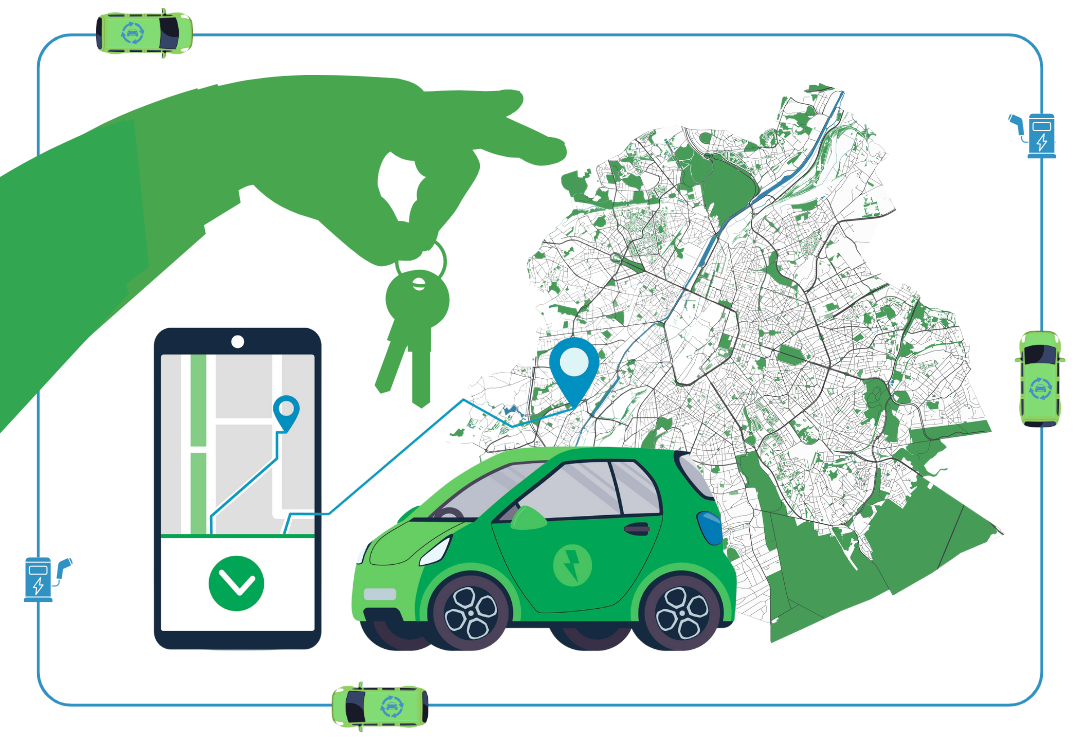
The study, based on a survey of 2,200 users of Cambio Brussels (station-based) and Poppy Mobility (free-floating), provides the first concrete evidence that carsharing is helping to reduce private car ownership, cut emissions, and make city life more flexible and sustainable.
Throwing down the gauntlet against private car ownership
Cambio — Credits: Werner Lerooy
Poppy — Credits: Cineberg
Some mobility experts have pitted station-based carsharing (structured and reliable, but less flexible) against free-floating carsharing (spontaneous and convenient, yet more complex to regulate), weighing in on which model best balances urban order, user needs, and sustainability. The data from the Brussels Mobility study shows a different picture: rather than competing, the two systems appear to be complementary, and together, they are most effective at reducing reliance on private cars.
The distinction between the two models helps explain this result. Cambio’s station-based model is perfect for planned trips, and Poppy’s free-floating cars fill in the more unplanned and short-notice gaps—together, they cover nearly every scenario that might otherwise push someone to own and/or use their own car.
This might as well be the reason why 60% of drivers who rely on both Cambio and Poppy have completely given up their private car, compared to 55% for Cambio-only and 47% for Poppy-only users, and 80% live without owning a single private car. Notably, 76% say they would buy a car if Cambio and Poppy were no longer available, underlining their central role in enabling car-free lifestyles.
Shared mobility beyond car sharing
Villo! bikes in Brussels — Credits: Alex Donin
Beyond ownership figures, the study highlights the broader behavioural effects of carsharing—in particular, how Brussels’ shared mobility ecosystem functions as a whole, extending beyond carsharing to bikes and e-scooters.
Indeed, shared-car users are among Brussels’ most multimodal travellers. 70% of Cambio users and 65% of Poppy users hold public transport passes, using trams, buses, and metros for daily commutes; they also walk and cycle more frequently, and significantly reduce their use of private cars when they still own one—among users who retain a car, 53% of Cambio members and 40% of Poppy users report driving less since switching to carsharing.
In 2024, station-based shared bikes (Villo!) recorded an average of 2,517 daily trips, while free-floating e-scooters and e-bikes saw even heavier turnover, with 25,799 e-scooter trips and 5,422 e-bike trips daily. The average distance per ride—2.8 km for e-scooters, 3.1 km for e-bikes—demonstrates their role in short urban trips, often complementing public transport. Shared cars, meanwhile, operate far more efficiently than privately owned vehicles: station-based cars logged 976 trips per day with an average rental duration of 8.4 hours and a 35% use rate, while free-floating cars made 4,751 trips daily, averaging just over two hours per ride and in use 13% of the time—well above the 2.4% active use rate of private cars!
Car sharing is not a niche
The study also overturns persistent assumptions about who carsharing is for, debunking the stereotype that carsharing is only for young, tech-savvy urbanites.
One-third of Brussels car-sharing users are households with children, demonstrating that family life in the city no longer necessarily requires owning a car, provided access exists when it truly matters.
Older age groups are also well represented: nearly 30% of Cambio users are over 55, including 11% aged 65 and above—a demographic often assumed to be shared mobility-averse. Poppy attracts a slightly younger audience, but still shows that 18% of its users are over 55.
A new model for public-private collaboration
The study itself represents a milestone in public-private collaboration. Bruxelles Mobilité conducted the survey with independent research partners, while Cambio and Poppy actively participated, validated the results, and are jointly communicating the findings. This shared approach strengthens trust in the data and illustrates how cooperation can accelerate the development of a coherent Mobility-as-a-Service ecosystem.
Of importance to POLIS, these results align with the objectives of STEER-NWE, a transnational project running from 2025 to 2028 that supports public authorities in deploying smarter and more inclusive e-carsharing solutions across North-West Europe. Brussels Environment and Brussels Mobilité are part of the project—just like POLIS—and will pilot e-carsharing solutions in the Brussels Region, building on Brussels’ growing evidence base for shared mobility as a lever to reduce car dependency.
Bottom line is that carsharing in Brussels works—not as a standalone solution, but as a core component of an integrated mobility system. Expanding access to both station-based and free-floating services, and ensuring they are well connected to public transport, walking, and cycling networks, will be key to further reducing car dependency and improving quality of life in the city.
Brussels Mobility is the public administration of the Brussels-Capital Region responsible for equipment, infrastructure and mobility issues. Its primary challenge is to facilitate economic development...
This mode enables people with epilepsy to use the website safely by eliminating the risk of seizures that result from flashing or blinking animations and risky color combinations.
Visually Impaired Mode
Improves website's visuals
This mode adjusts the website for the convenience of users with visual impairments such as Degrading Eyesight, Tunnel Vision, Cataract, Glaucoma, and others.
Cognitive Disability Mode
Helps to focus on specific content
This mode provides different assistive options to help users with cognitive impairments such as Dyslexia, Autism, CVA, and others, to focus on the essential elements of the website more easily.
ADHD Friendly Mode
Reduces distractions and improve focus
This mode helps users with ADHD and Neurodevelopmental disorders to read, browse, and focus on the main website elements more easily while significantly reducing distractions.
Blindness Mode
Allows using the site with your screen-reader
This mode configures the website to be compatible with screen-readers such as JAWS, NVDA, VoiceOver, and TalkBack. A screen-reader is software for blind users that is installed on a computer and smartphone, and websites must be compatible with it.
Online Dictionary
Readable Experience
Content Scaling
Default
Text Magnifier
Readable Font
Dyslexia Friendly
Highlight Titles
Highlight Links
Font Sizing
Default
Line Height
Default
Letter Spacing
Default
Left Aligned
Center Aligned
Right Aligned
Visually Pleasing Experience
Dark Contrast
Light Contrast
Monochrome
High Contrast
High Saturation
Low Saturation
Adjust Text Colors
Adjust Title Colors
Adjust Background Colors
Easy Orientation
Mute Sounds
Hide Images
Hide Emoji
Reading Guide
Stop Animations
Reading Mask
Highlight Hover
Highlight Focus
Big Dark Cursor
Big Light Cursor
Cognitive Reading
Virtual Keyboard
Navigation Keys
Voice Navigation
Accessibility Statement
www.polisnetwork.eu
15/10/2026
Compliance status
We firmly believe that the internet should be available and accessible to anyone, and are committed to providing a website that is accessible to the widest possible audience,
regardless of circumstance and ability.
To fulfill this, we aim to adhere as strictly as possible to the World Wide Web Consortium’s (W3C) Web Content Accessibility Guidelines 2.1 (WCAG 2.1) at the AA level.
These guidelines explain how to make web content accessible to people with a wide array of disabilities. Complying with those guidelines helps us ensure that the website is accessible
to all people: blind people, people with motor impairments, visual impairment, cognitive disabilities, and more.
This website utilizes various technologies that are meant to make it as accessible as possible at all times. We utilize an accessibility interface that allows persons with specific
disabilities to adjust the website’s UI (user interface) and design it to their personal needs.
Additionally, the website utilizes an AI-based application that runs in the background and optimizes its accessibility level constantly. This application remediates the website’s HTML,
adapts Its functionality and behavior for screen-readers used by the blind users, and for keyboard functions used by individuals with motor impairments.
If you’ve found a malfunction or have ideas for improvement, we’ll be happy to hear from you. You can reach out to the website’s operators by using the following email
Screen-reader and keyboard navigation
Our website implements the ARIA attributes (Accessible Rich Internet Applications) technique, alongside various different behavioral changes, to ensure blind users visiting with
screen-readers are able to read, comprehend, and enjoy the website’s functions. As soon as a user with a screen-reader enters your site, they immediately receive
a prompt to enter the Screen-Reader Profile so they can browse and operate your site effectively. Here’s how our website covers some of the most important screen-reader requirements,
alongside console screenshots of code examples:
Screen-reader optimization: we run a background process that learns the website’s components from top to bottom, to ensure ongoing compliance even when updating the website.
In this process, we provide screen-readers with meaningful data using the ARIA set of attributes. For example, we provide accurate form labels;
descriptions for actionable icons (social media icons, search icons, cart icons, etc.); validation guidance for form inputs; element roles such as buttons, menus, modal dialogues (popups),
and others. Additionally, the background process scans all the website’s images and provides an accurate and meaningful image-object-recognition-based description as an ALT (alternate text) tag
for images that are not described. It will also extract texts that are embedded within the image, using an OCR (optical character recognition) technology.
To turn on screen-reader adjustments at any time, users need only to press the Alt+1 keyboard combination. Screen-reader users also get automatic announcements to turn the Screen-reader mode on
as soon as they enter the website.
These adjustments are compatible with all popular screen readers, including JAWS and NVDA.
Keyboard navigation optimization: The background process also adjusts the website’s HTML, and adds various behaviors using JavaScript code to make the website operable by the keyboard. This includes the ability to navigate the website using the Tab and Shift+Tab keys, operate dropdowns with the arrow keys, close them with Esc, trigger buttons and links using the Enter key, navigate between radio and checkbox elements using the arrow keys, and fill them in with the Spacebar or Enter key.Additionally, keyboard users will find quick-navigation and content-skip menus, available at any time by clicking Alt+1, or as the first elements of the site while navigating with the keyboard. The background process also handles triggered popups by moving the keyboard focus towards them as soon as they appear, and not allow the focus drift outside it.
Users can also use shortcuts such as “M” (menus), “H” (headings), “F” (forms), “B” (buttons), and “G” (graphics) to jump to specific elements.
Disability profiles supported in our website
Epilepsy Safe Mode: this profile enables people with epilepsy to use the website safely by eliminating the risk of seizures that result from flashing or blinking animations and risky color combinations.
Visually Impaired Mode: this mode adjusts the website for the convenience of users with visual impairments such as Degrading Eyesight, Tunnel Vision, Cataract, Glaucoma, and others.
Cognitive Disability Mode: this mode provides different assistive options to help users with cognitive impairments such as Dyslexia, Autism, CVA, and others, to focus on the essential elements of the website more easily.
ADHD Friendly Mode: this mode helps users with ADHD and Neurodevelopmental disorders to read, browse, and focus on the main website elements more easily while significantly reducing distractions.
Blindness Mode: this mode configures the website to be compatible with screen-readers such as JAWS, NVDA, VoiceOver, and TalkBack. A screen-reader is software for blind users that is installed on a computer and smartphone, and websites must be compatible with it.
Keyboard Navigation Profile (Motor-Impaired): this profile enables motor-impaired persons to operate the website using the keyboard Tab, Shift+Tab, and the Enter keys. Users can also use shortcuts such as “M” (menus), “H” (headings), “F” (forms), “B” (buttons), and “G” (graphics) to jump to specific elements.
Additional UI, design, and readability adjustments
Font adjustments – users, can increase and decrease its size, change its family (type), adjust the spacing, alignment, line height, and more.
Color adjustments – users can select various color contrast profiles such as light, dark, inverted, and monochrome. Additionally, users can swap color schemes of titles, texts, and backgrounds, with over seven different coloring options.
Animations – person with epilepsy can stop all running animations with the click of a button. Animations controlled by the interface include videos, GIFs, and CSS flashing transitions.
Content highlighting – users can choose to emphasize important elements such as links and titles. They can also choose to highlight focused or hovered elements only.
Audio muting – users with hearing devices may experience headaches or other issues due to automatic audio playing. This option lets users mute the entire website instantly.
Cognitive disorders – we utilize a search engine that is linked to Wikipedia and Wiktionary, allowing people with cognitive disorders to decipher meanings of phrases, initials, slang, and others.
Additional functions – we provide users the option to change cursor color and size, use a printing mode, enable a virtual keyboard, and many other functions.
Browser and assistive technology compatibility
We aim to support the widest array of browsers and assistive technologies as possible, so our users can choose the best fitting tools for them, with as few limitations as possible. Therefore, we have worked very hard to be able to support all major systems that comprise over 95% of the user market share including Google Chrome, Mozilla Firefox, Apple Safari, Opera and Microsoft Edge, JAWS and NVDA (screen readers).
Notes, comments, and feedback
Despite our very best efforts to allow anybody to adjust the website to their needs. There may still be pages or sections that are not fully accessible, are in the process of becoming accessible, or are lacking an adequate technological solution to make them accessible. Still, we are continually improving our accessibility, adding, updating and improving its options and features, and developing and adopting new technologies. All this is meant to reach the optimal level of accessibility, following technological advancements. For any assistance, please reach out to